Datasets
The Explore Datasets page is where you can view all the datasets you (or others) have uploaded to ACTS ML. You can filter and search through your datasets to find the one you need.
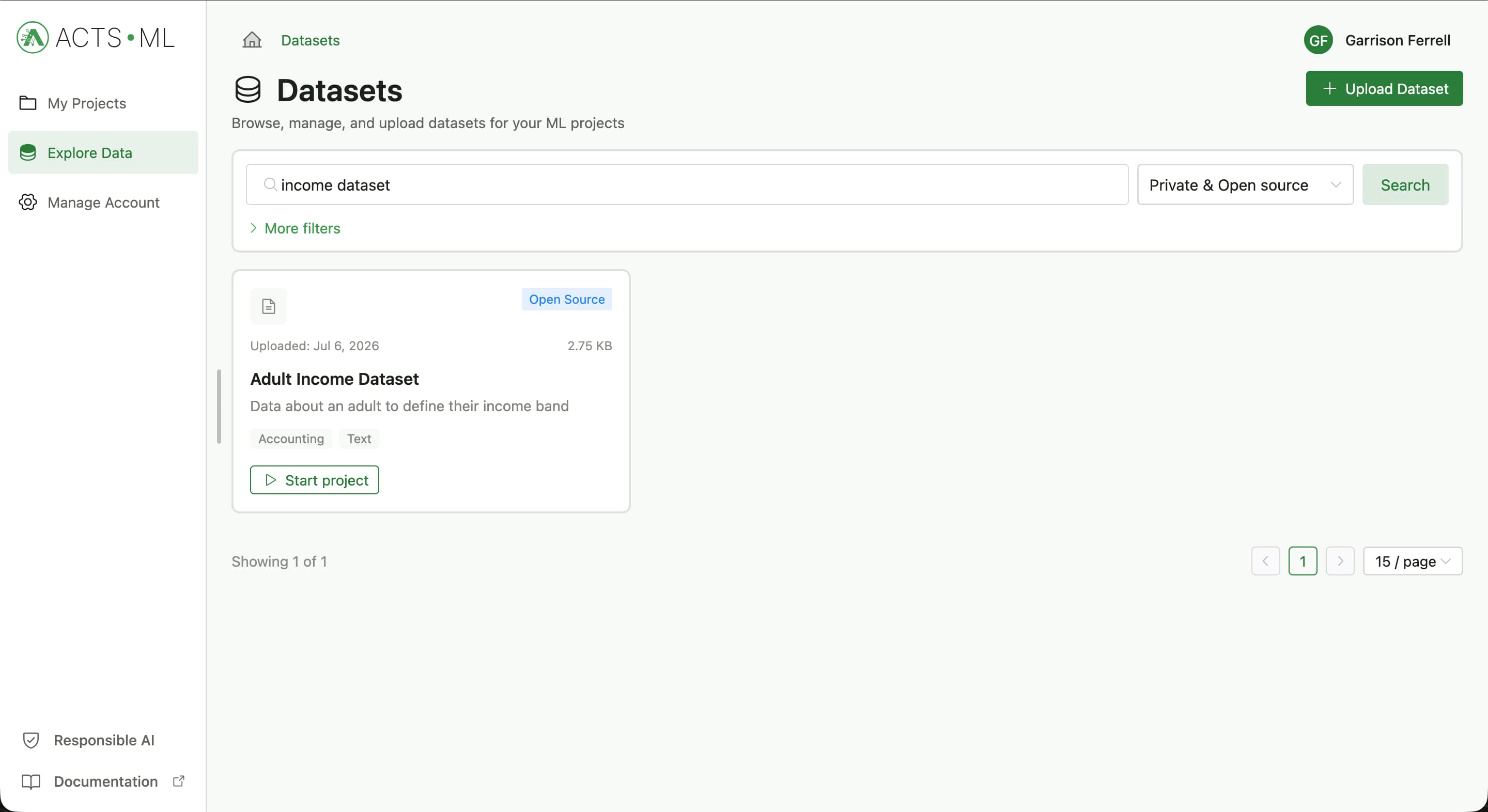
ACTS ML provides a seamless experience for digging through the many hundreds of files that have been uploaded to the platform.
Data comes in via two ways:
- Private datasets that you upload yourself
- Open-source datasets that have been contributed by the ACTS ML community
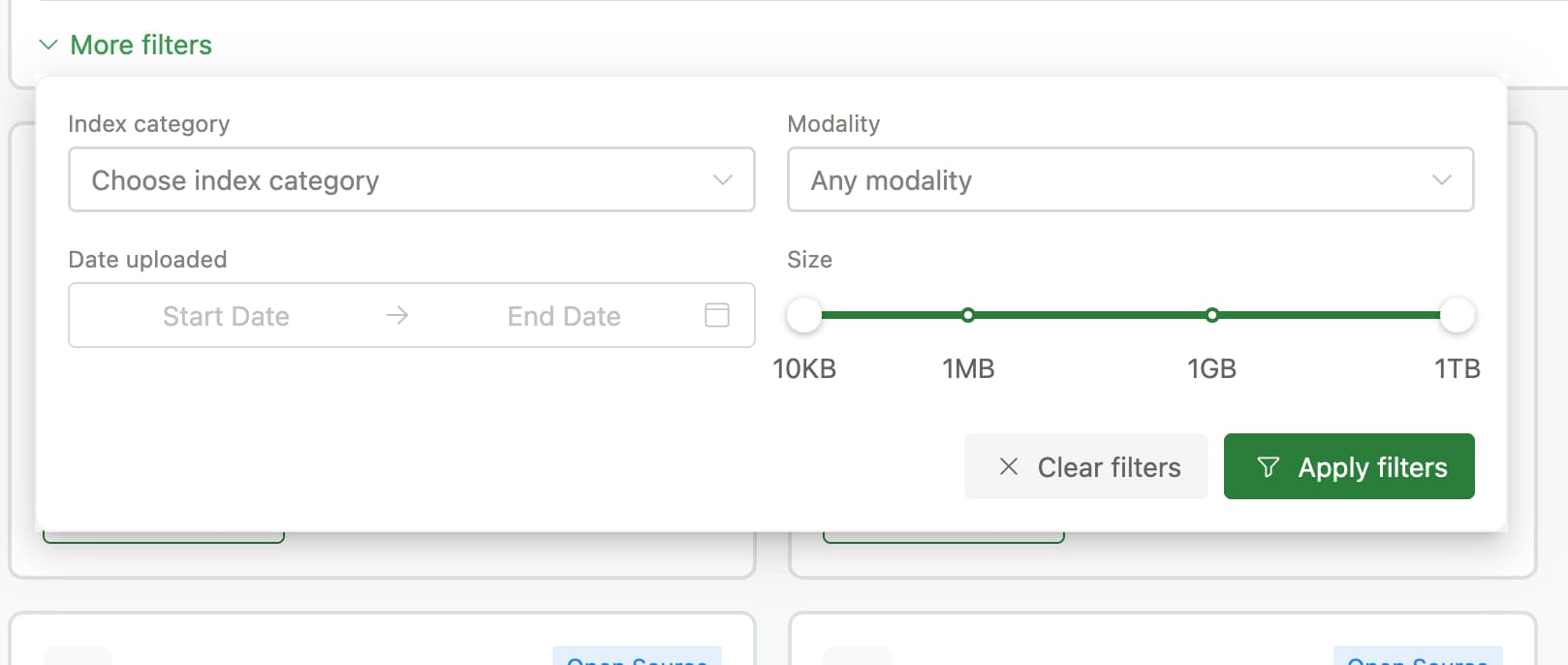
Below the search box, we have a number of filters that you can use to narrow down your search. You can filter by:
Uploading a Dataset
Uploading a dataset is easy. Simply click the Upload Dataset button on the top right of the page. You will be prompted to provide some basic information about your dataset. The form captures information about the dataset itself, collection details and ethical considerations. This information is important for you and others to understand the context of the data.
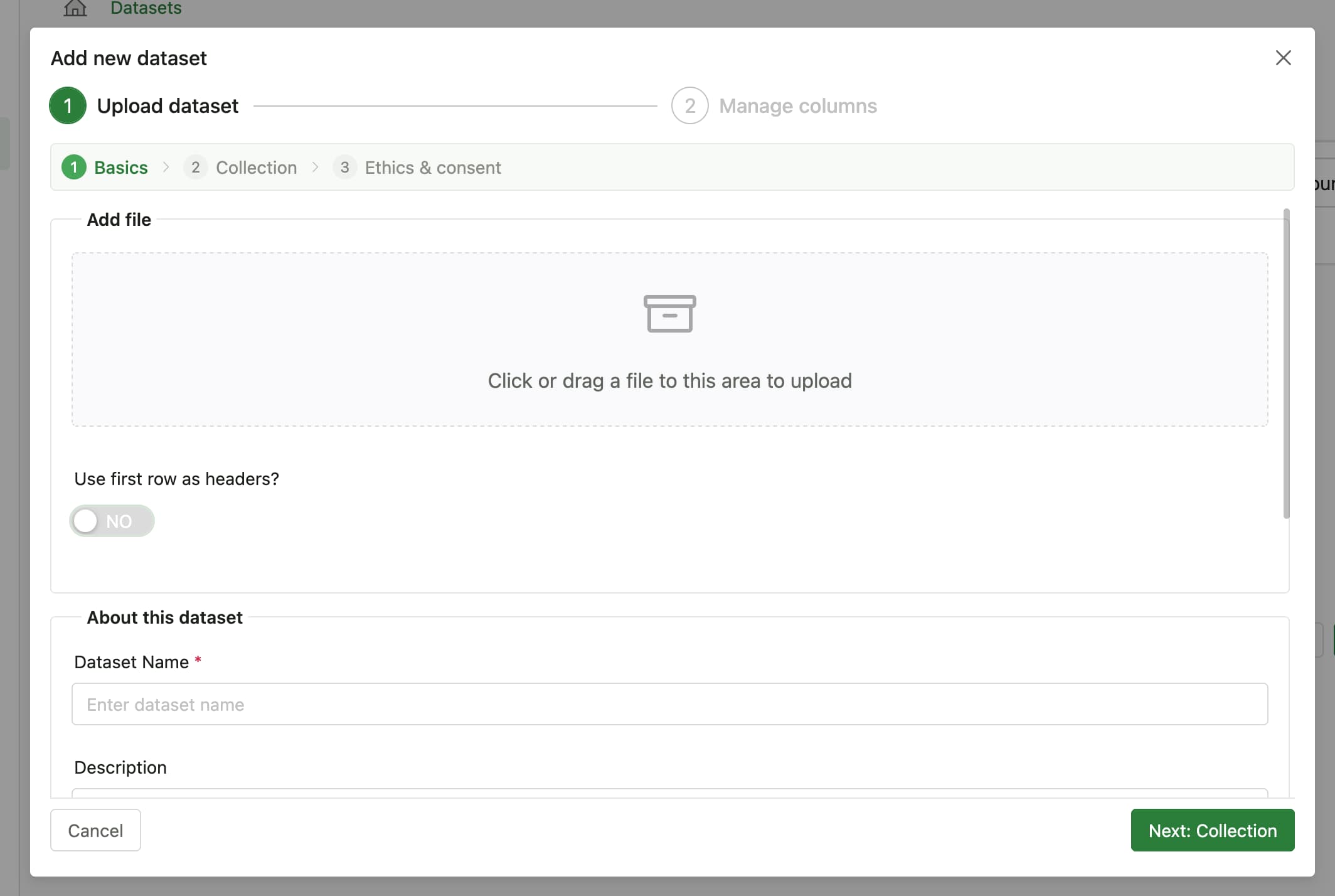
Once the upload process is done, you can choose to optionally update the columns so that it is easier to work with later on.
Dataset detail page
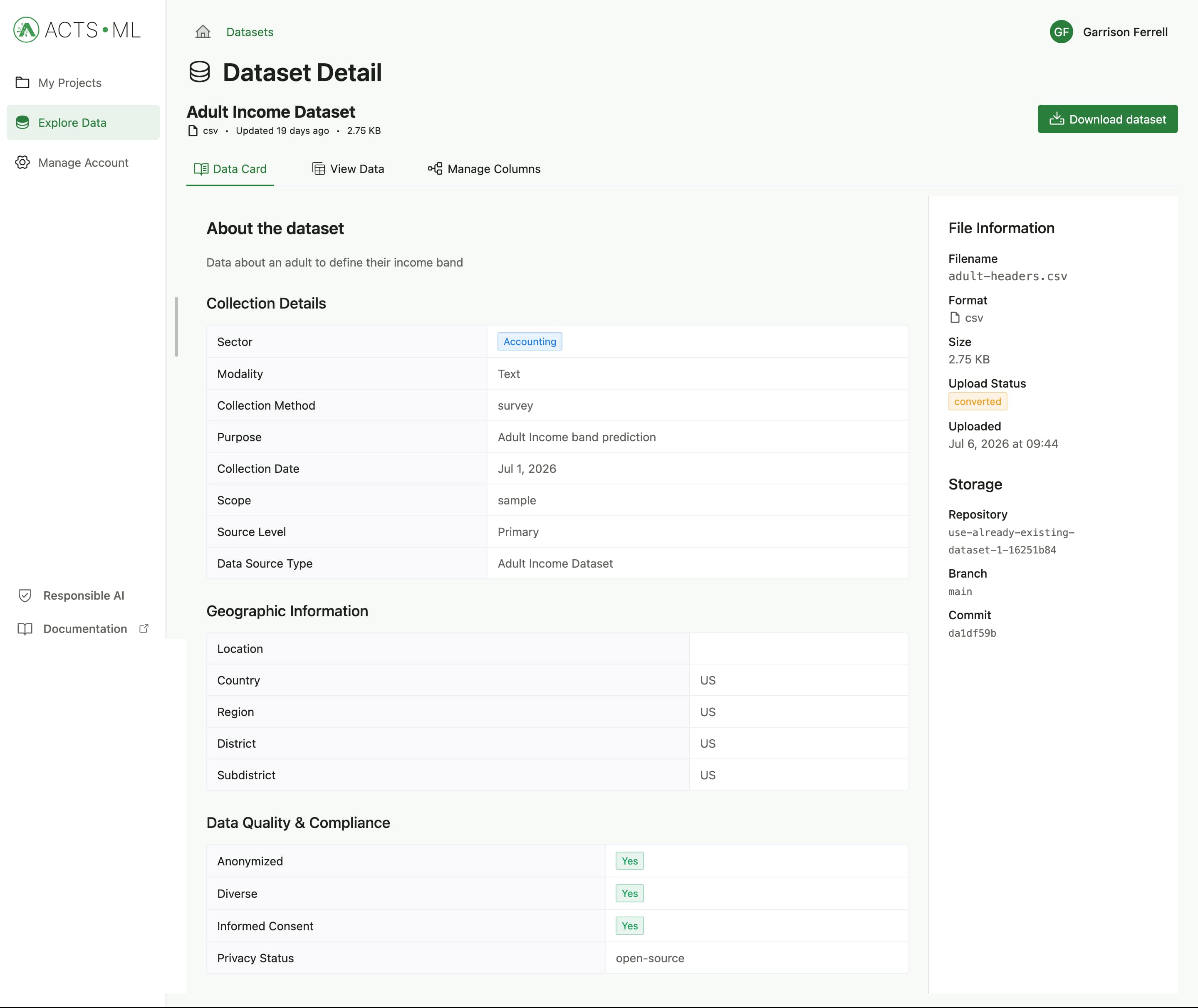
Once your dataset is uploaded, you can view its details on the Dataset detail page. This page shows you all the information you provided during upload, as well as some basic statistics about the data itself.
There are three section on this page:
- Dataset details - This section shows you the information you provided during upload, including the name, description, sector, region, and collection details.
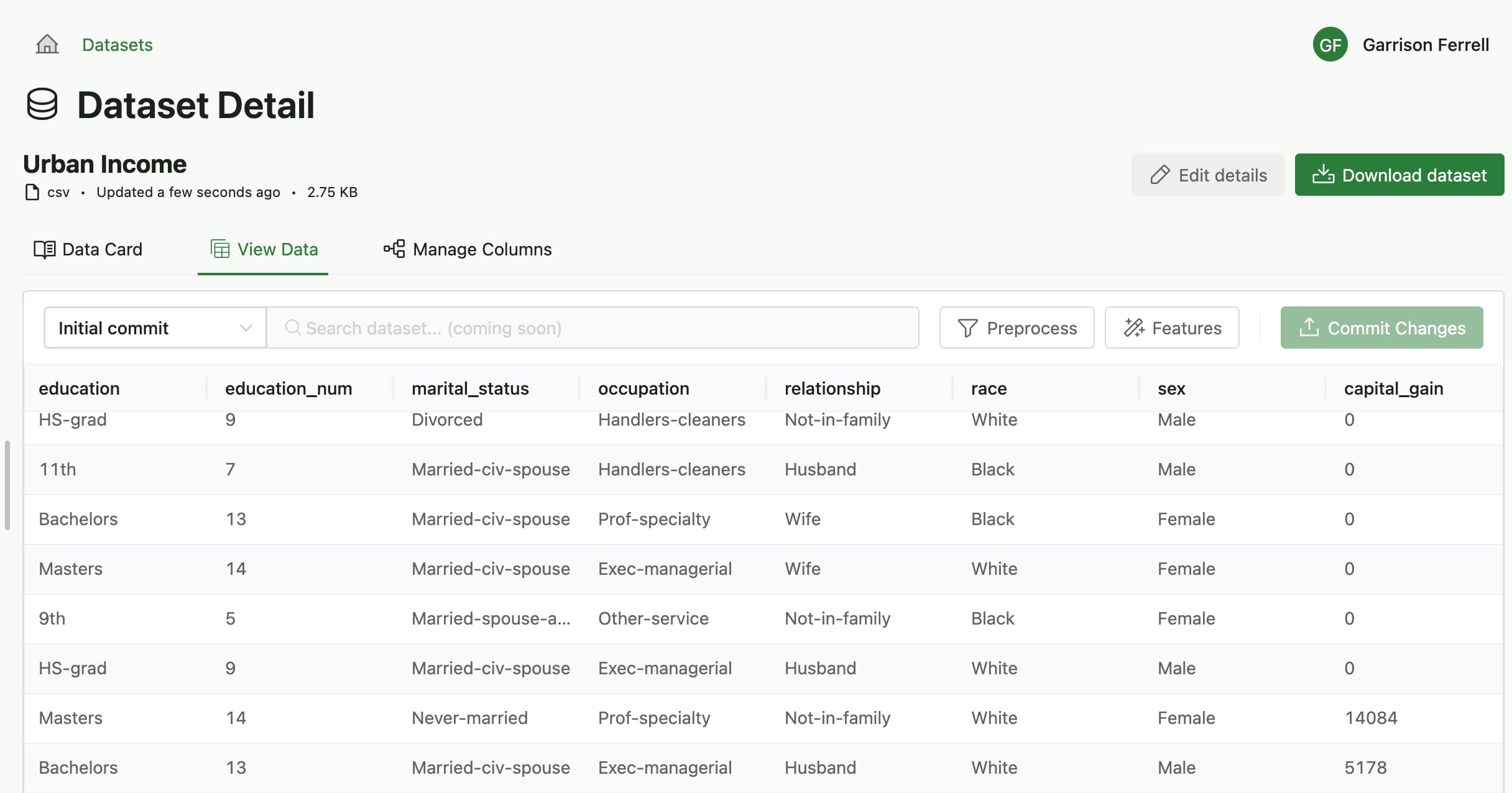
- Data table - This section shows you the data itself in a table format. You can view the column names, data types, and sample values from each column. On this section, you also have the option to perform preprocessing tasks such as cleaning the data, handling missing values, creating new features and more.
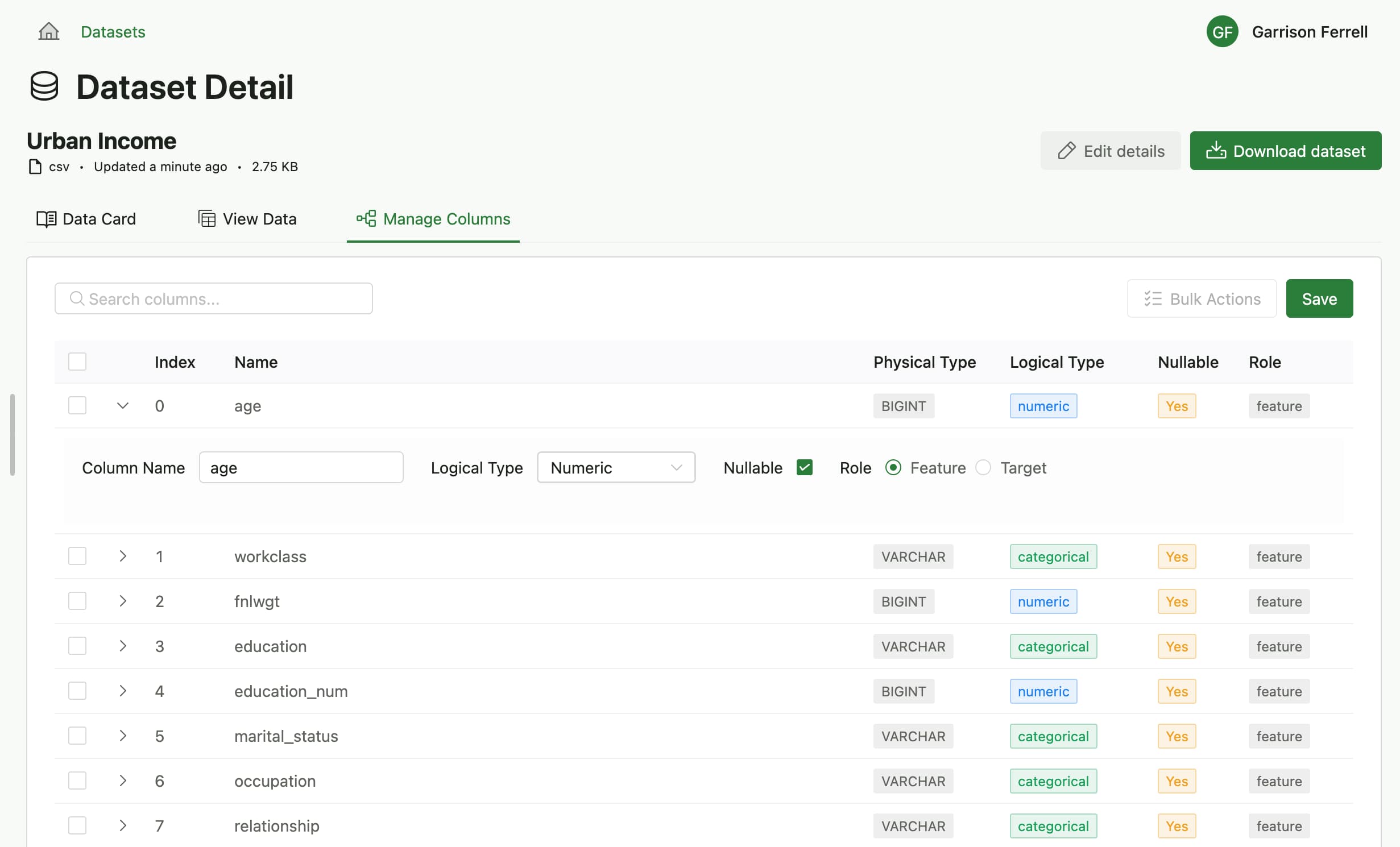
- Column management - This section allows you to manage the columns in your dataset. You can rename columns, change their data types among other things
View data
Manage columns
Features that update the dataset in any way, such as cleaning, handling missing values, and creating new features, and managing columns are only available for datasets that you have uploaded yourself. Open-source datasets contributed by the community are read-only.
Supported File Formats
At the time of writing this, ACTS ML only supports CSV and Parquette data file formats.