Quick Start
Getting started with ACTS ML is straight forward: You just need an account (which is free). That is all. After loggin in to your account, you can create your first project. A project is a container for your model and holds specific data points regarding it and will help you deploy the model to the real world when it's ready.
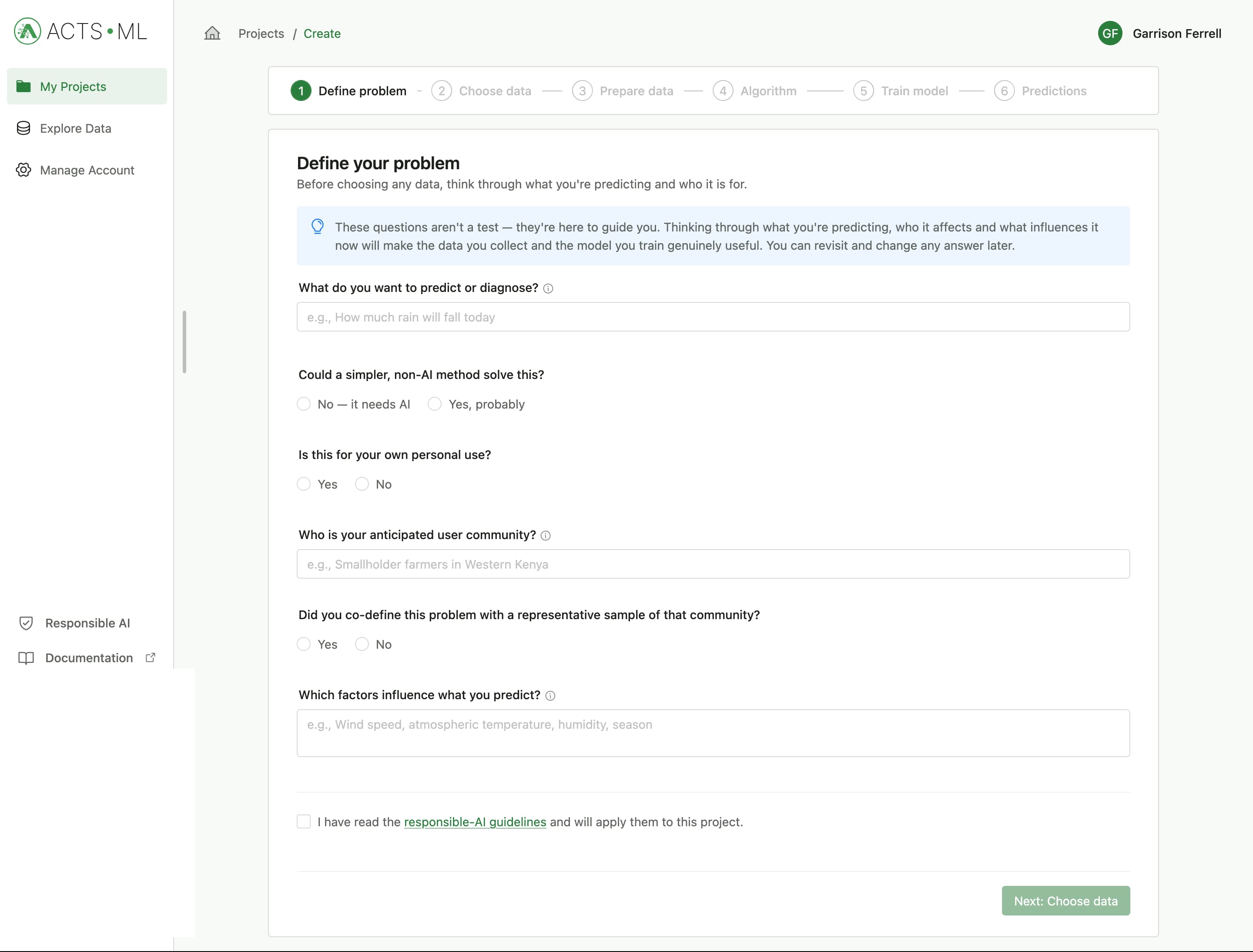 Project creation wizard
Project Creation Wizrad
When creating a project (which is a container for your model), all the needed steps are laid out in order, so even non-technical users can get started immediately. We have also added guiding questions as part of our Responsible AI framework to help you think about the implications of your model and how it will be used in the real world.
Problem definition
This section provides a set of guiding questions to help you define the problem you are trying to solve with your model. If this questions are answered correctly, you will make right decisions on the subsequent steps of the model building process.
You do have to consent to the Responsible AI legal disclaimer before you can proceed to the next step.
Choosing your data
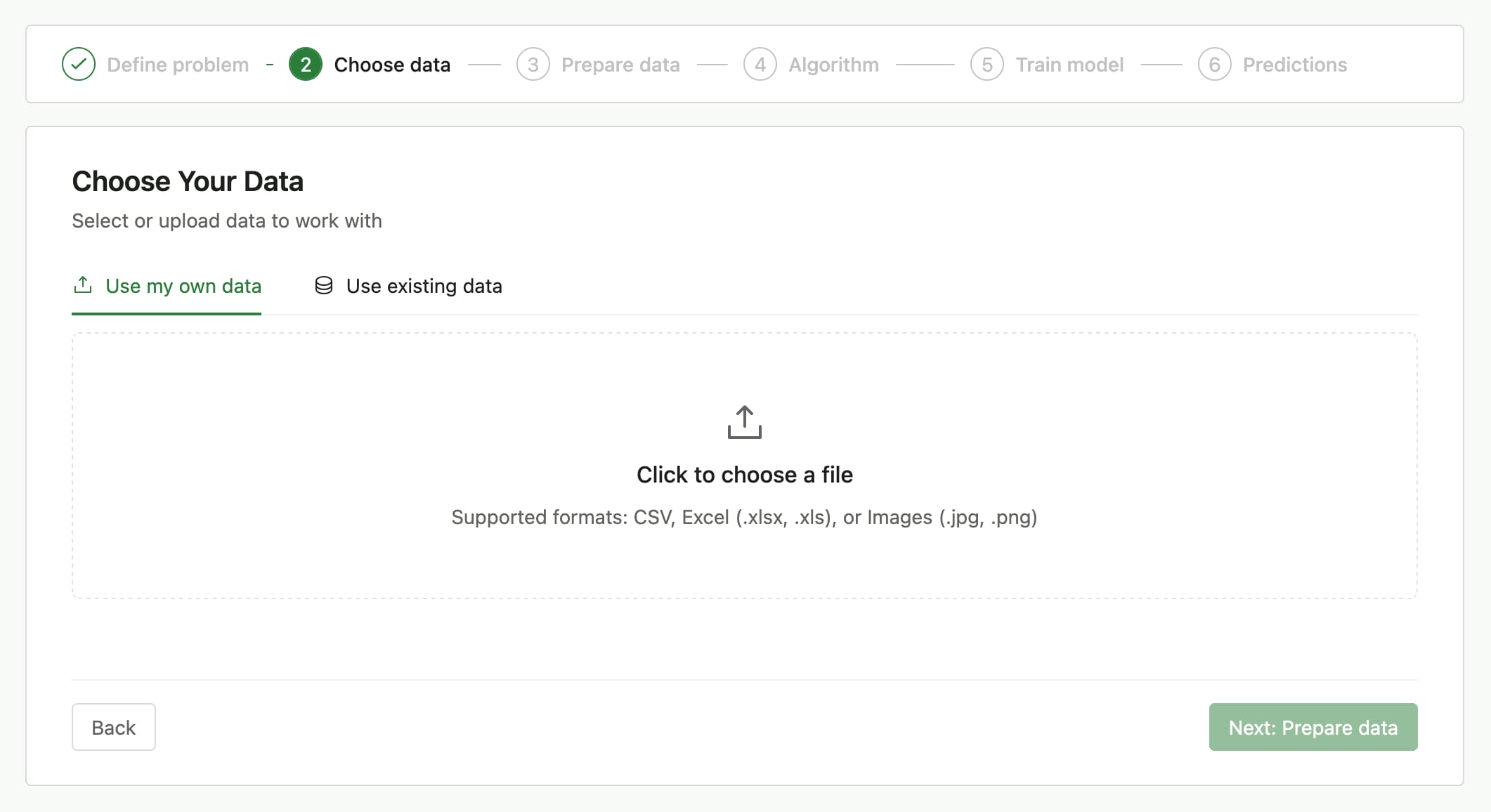
The next step is to choose the data you will use to train your model. You can either upload a new dataset or select an existing one from your project. Make sure your data is clean and relevant to the problem you are trying to solve.
Existing data comprises of Open-source datasets contributed by the ACTS ML community and datasets you have uploaded to your project.
Preparing data for training
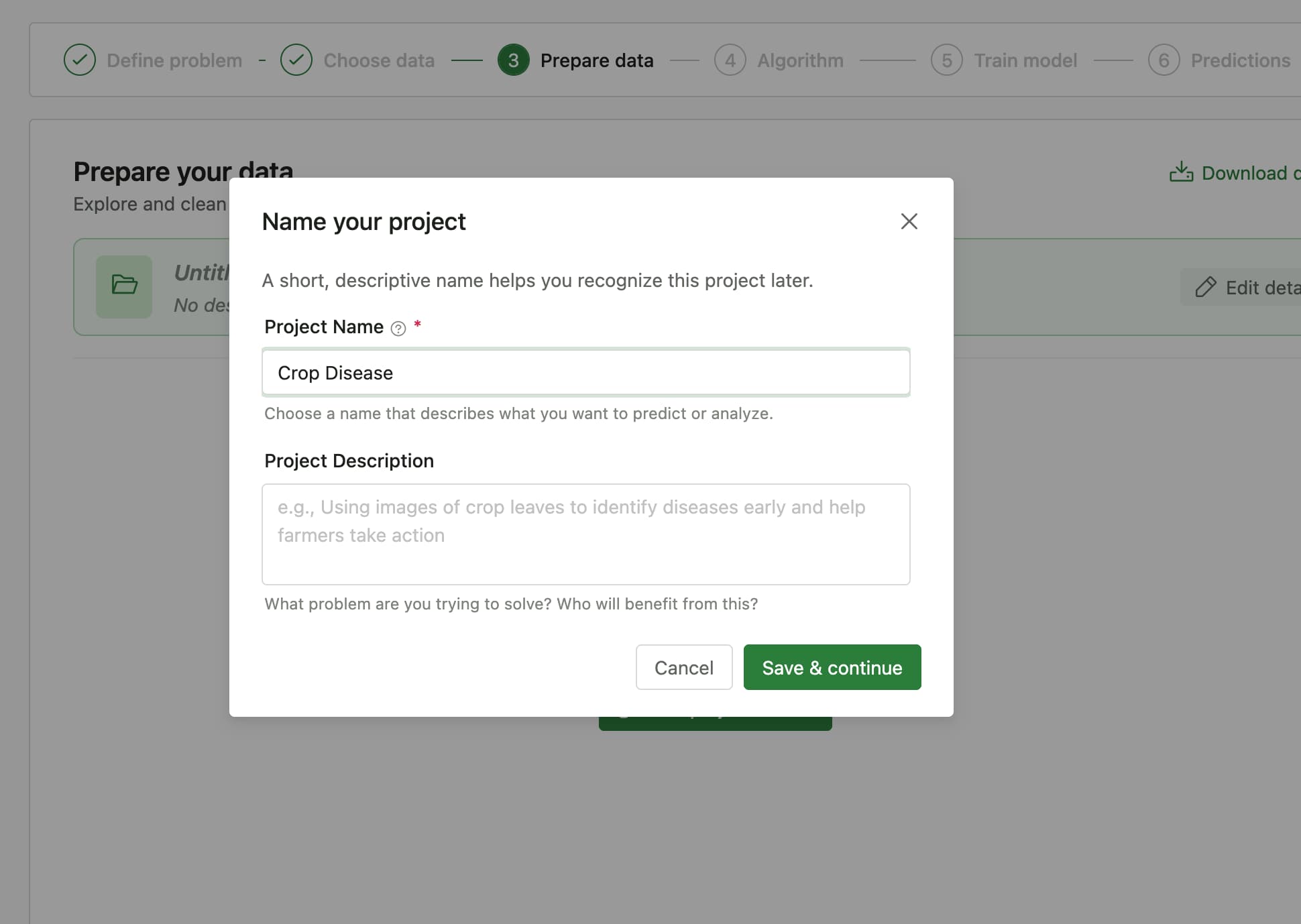
The first thing to do on this step, is to give your project a name and a description. This will help you identify your project later on. At this stage, the project is properly setup and some initial data preparation is done. You can now view the data on the provided table. The table also provides you with features to clean your data, handle missing values, and perform other data preparation tasks. This is entirely optional, plus, the system analyses your data and provides you with recommendations that you can apply in one click.
Choosing algorithms
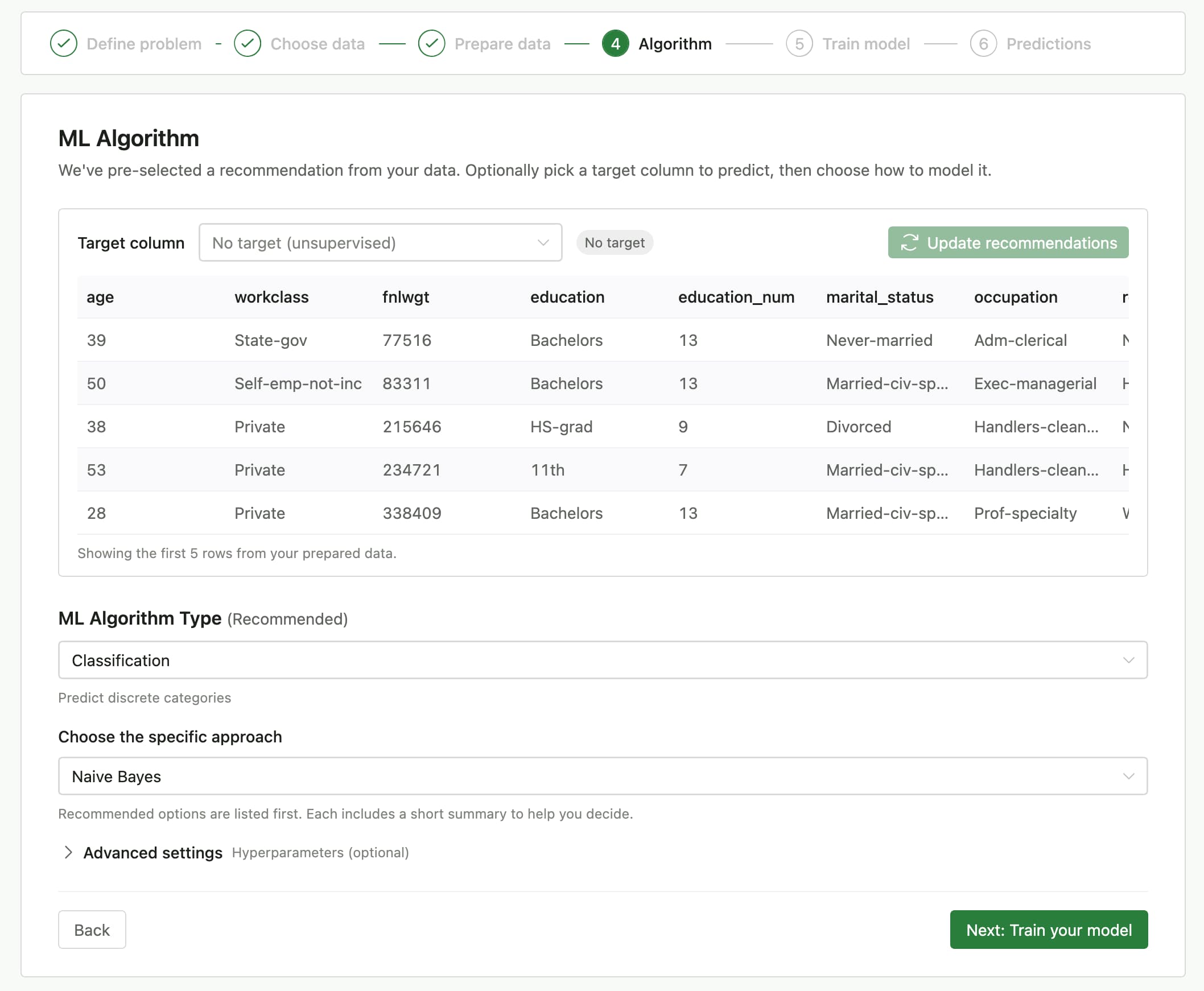
This next section is fully optional, but it provides power users with the ability to tune training parameters that they want for their model. The system does provide some immediate recommendations based on the data you have provided, but you can also choose to select your own algorithms and parameters. The system will then use these parameters to train your model.
Training your model
The only action needed on the training step is to configure parameters. Click the Configure button on the screen to set this up. Remember, it is still optional, but it allows power users to assess the performance of different values.
Click Train when you are ready. It takes a while depending on the size of the data and the complexity of the model. You can leave the page and come back later to check on the progress of your training.
Making predictions and evaluating your model
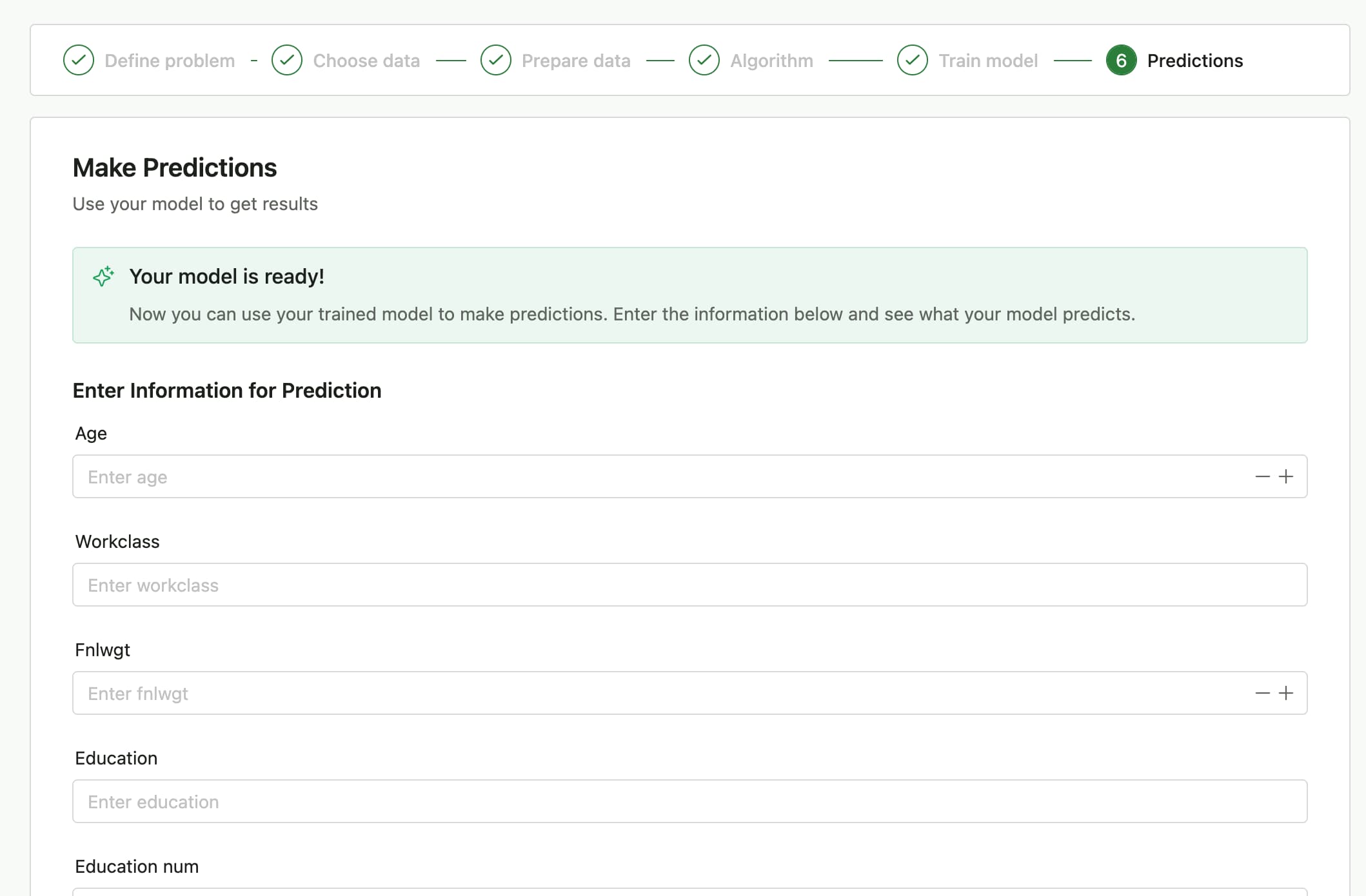
This is the final step in the project creation wizard. You can now make predictions using your model and evaluate its performance. The system provides you with a set of the most relevant fields from your dataset to make predictions on.
Prediction values help you gauge the performance of your model and helps you decide whether you need more training with perhaps different parameters.
At this point, you can work on your project on the dedicated page: Projects > [Your Project] > Details.
Next Steps
- Learn more about Projects
- Explore Dataset Management
- Understand our Responsible AI framework in detail